✨ Now with 14-day Pro trial

The missing GUI for Homebrew

Manage your Homebrew packages visually without touching the terminal. The Flatpak-like experience Mac users have been waiting for.

14K+
Packages Available
100%
Native SwiftUI
Free
Core Features
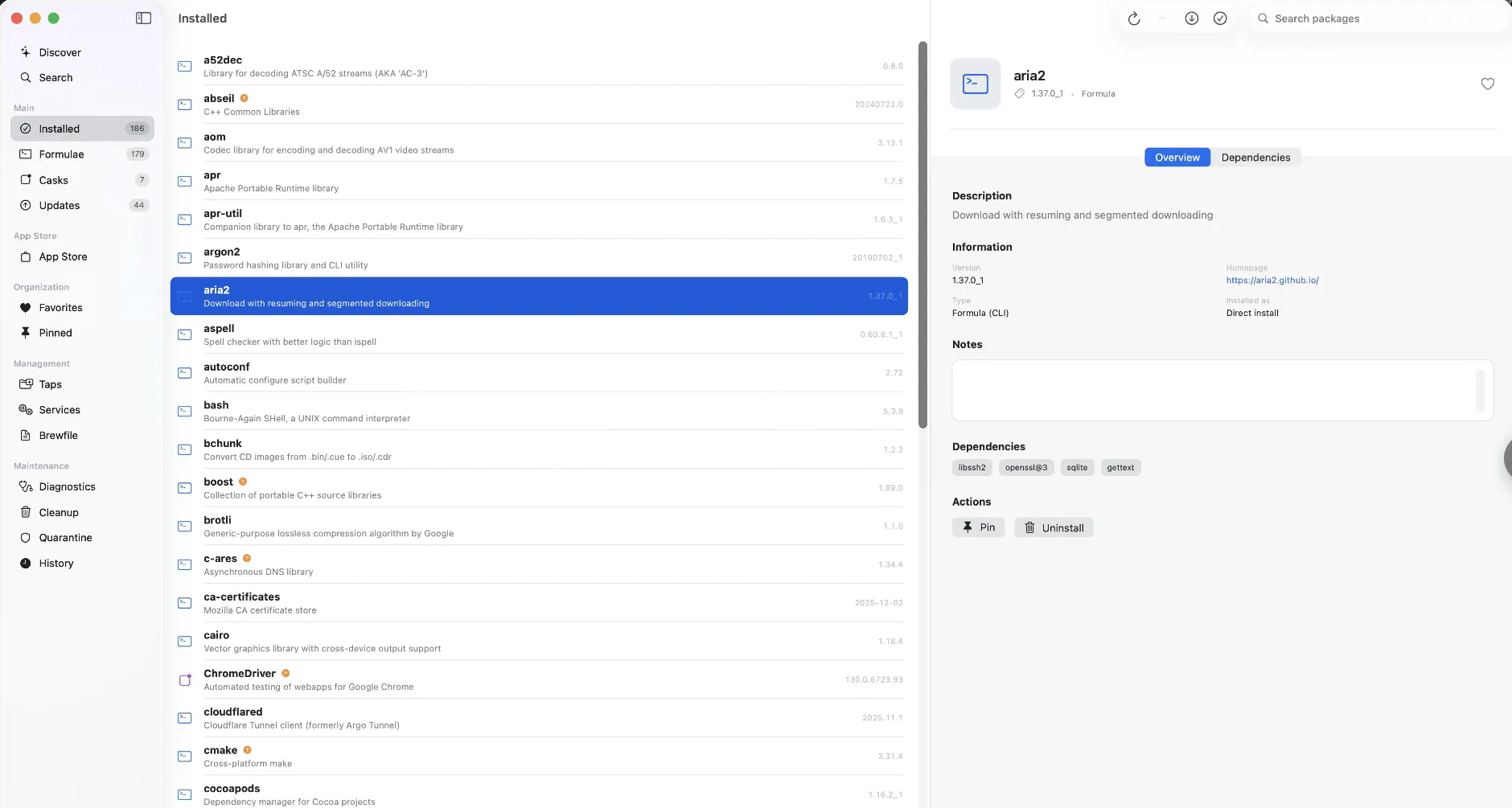
📦 All Packages
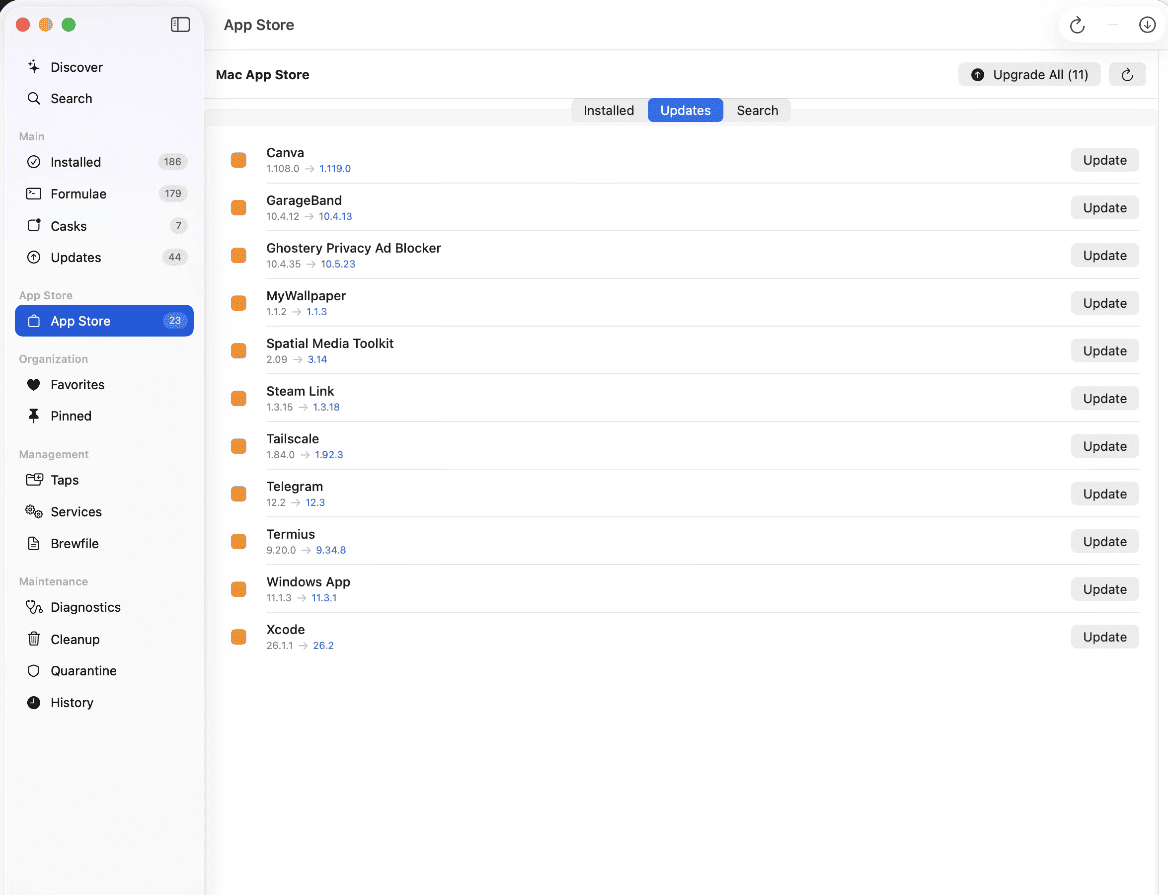
⬆️ Updates
⭐ Favorites
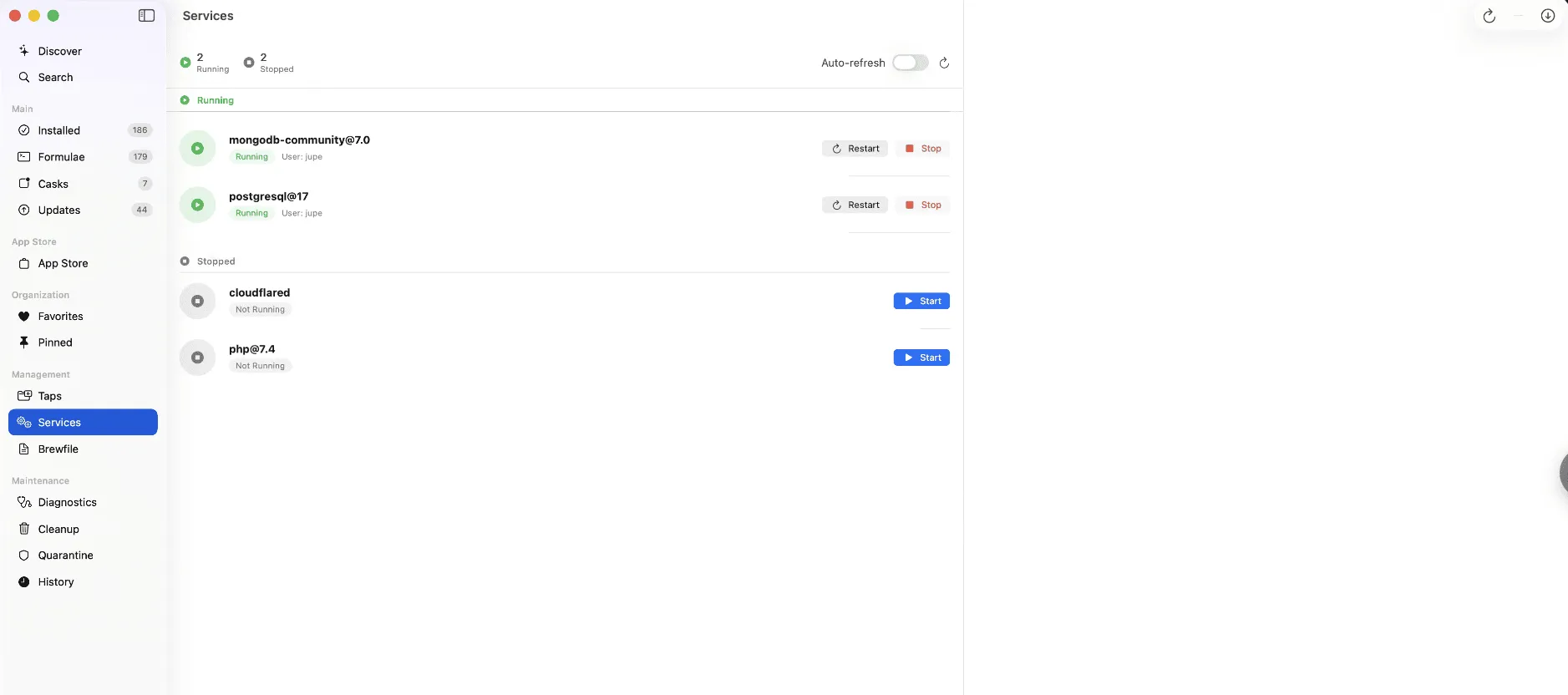
⚙️ Services
📱
node
v20.10.0
Installed
🐍
python
3.12.1
Update
🦀
rust
1.74.0
Installed

Everything you need to manage packages

A beautiful, native macOS app that makes Homebrew accessible to everyone — not just terminal power users.

🔍

Visual Package Browser

Browse and search through thousands of Homebrew packages with an intuitive visual interface. No more memorizing package names.

One-Click Install & Uninstall

Install or remove any package with a single click. Real-time progress monitoring shows you exactly what's happening.

🔄

Easy Updates

See all outdated packages at a glance and update them individually or all at once. Never run an outdated tool again.

⚙️

Service Management

Start, stop, and manage Homebrew services for databases, servers, and background processes — all from one place.

🩺

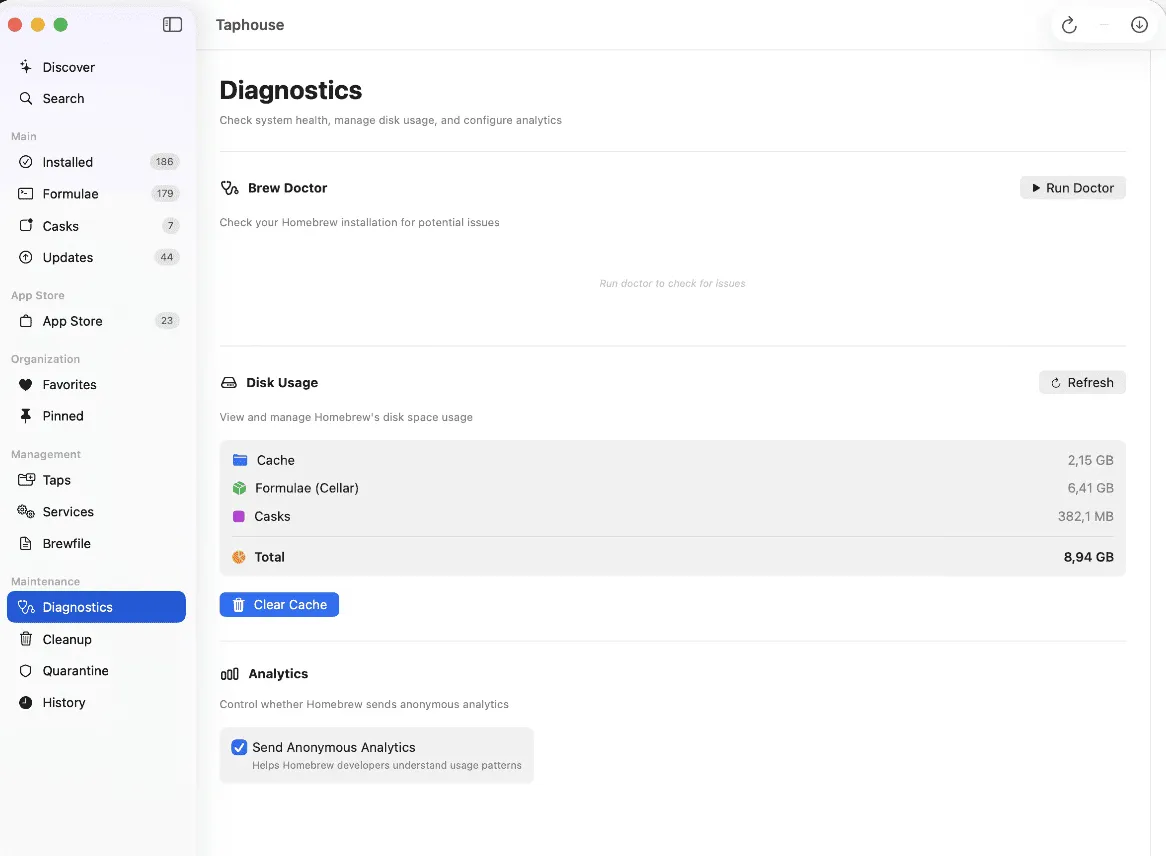
Brew Doctor Built-in

Run system diagnostics to identify and fix common Homebrew issues before they become problems.

💾

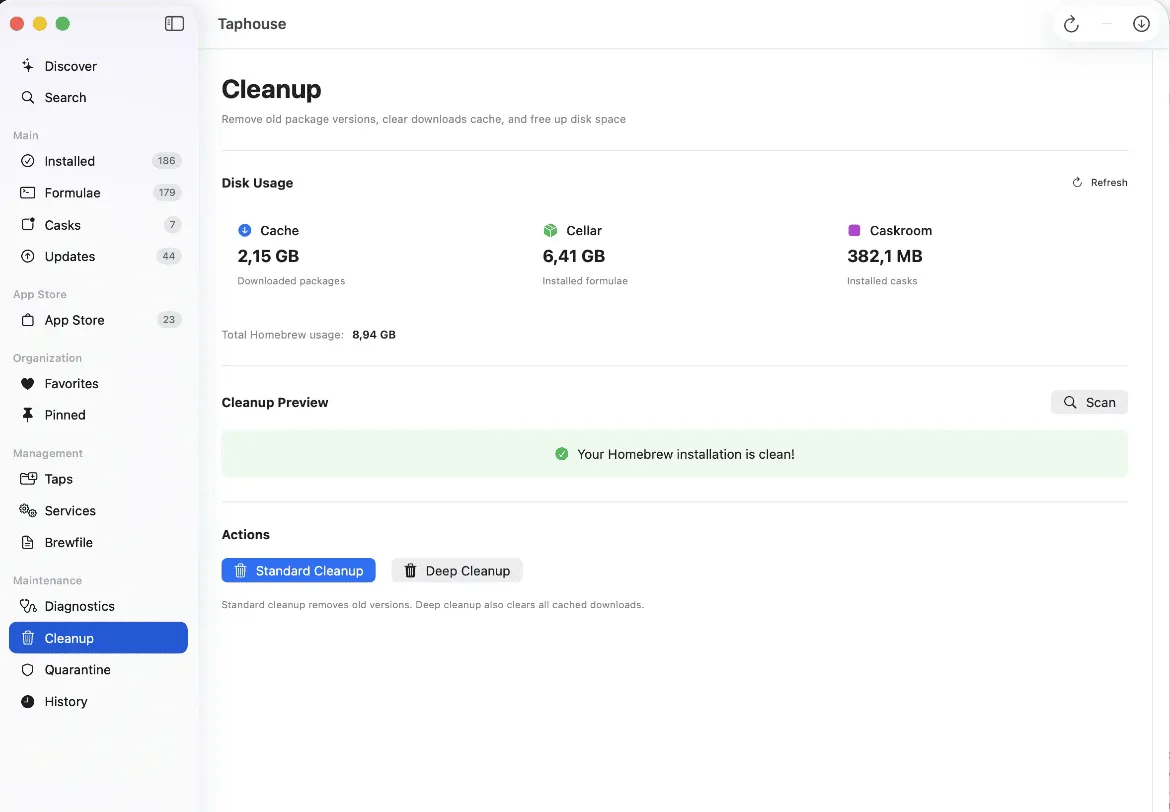
Disk Usage Analysis

See how much space each package uses and clean up old versions to reclaim valuable disk space.

Like Flatpak, but for Mac

If you've used Flatpak or GNOME Software on Linux, you'll feel right at home. Taphouse brings that same visual package management experience to macOS.

Feature
Terminal
Taphouse
Visual package browsing
One-click installs
See all outdated packages
Service management UI
Disk usage visualization
Beginner friendly

Simple, honest pricing

Start free forever. Upgrade once for power-user features. No subscriptions, no recurring fees.

Free
$0
Free forever
  • Browse & search packages
  • Install & uninstall packages
  • Update packages
  • Service management
  • Brew Doctor diagnostics
  • Real-time progress monitoring
  • Disk usage analysis
Download Free

Frequently asked questions

Everything you need to know about Taphouse

Yes! If you've used Flatpak or GNOME Software on Linux, Taphouse provides a similar visual package management experience for macOS. While Flatpak is a containerized package format and Homebrew uses traditional packages, the user experience is comparable — you get a beautiful GUI to browse, install, update, and manage software without touching the terminal.
A Homebrew GUI is a graphical user interface for Homebrew, the popular package manager for macOS. Instead of typing commands in Terminal, a GUI like Taphouse lets you browse packages visually, click to install, and manage everything through an intuitive app interface. It's perfect for developers who prefer visual tools or Mac users new to package management.
Yes, Taphouse requires Homebrew to be installed on your Mac. Homebrew is a free package manager for macOS. If you don't have it yet, visit brew.sh to install it with a single command. Once Homebrew is set up, Taphouse provides the visual interface to manage all your packages.
Taphouse requires macOS 14.0 (Sonoma) or later. The app is built with SwiftUI and takes full advantage of the latest macOS features including native dark mode support, modern design language, and optimized performance for both Intel and Apple Silicon Macs.
Taphouse complements the Mac App Store rather than replacing it. While the App Store focuses on consumer apps, Homebrew (and therefore Taphouse) excels at developer tools, CLI utilities, programming languages, databases, and open-source software. Many developers use both — the App Store for everyday apps and Taphouse/Homebrew for development tools.
Yes! With Taphouse Pro, you can export your entire Homebrew setup to a Brewfile and import it on a new Mac. This makes setting up a new development machine incredibly fast — just import your Brewfile and all your packages will be installed automatically.
No subscriptions! The core features of Taphouse are free forever. The Pro upgrade is a one-time payment of $4.99 — pay once, own it forever. We believe great software shouldn't require monthly fees for features you've already paid for.

Ready to simplify Homebrew?

Download Taphouse and see what's brewing on your Mac. Free forever, no account required.

Download for macOS